
PixFerry for Windows
Batch convert iPhone HEIC photos to JPG on your PC: offline, no extensions, no uploads.
Microsoft Store · Windows 10 & 11 $4.99 · 7-day free trial No ads · No account
Coming soon to the Microsoft Store
The Store link appears here as soon as the listing is live. Until then, our free online image converter handles a few files at a time in your browser.
Why a desktop app?
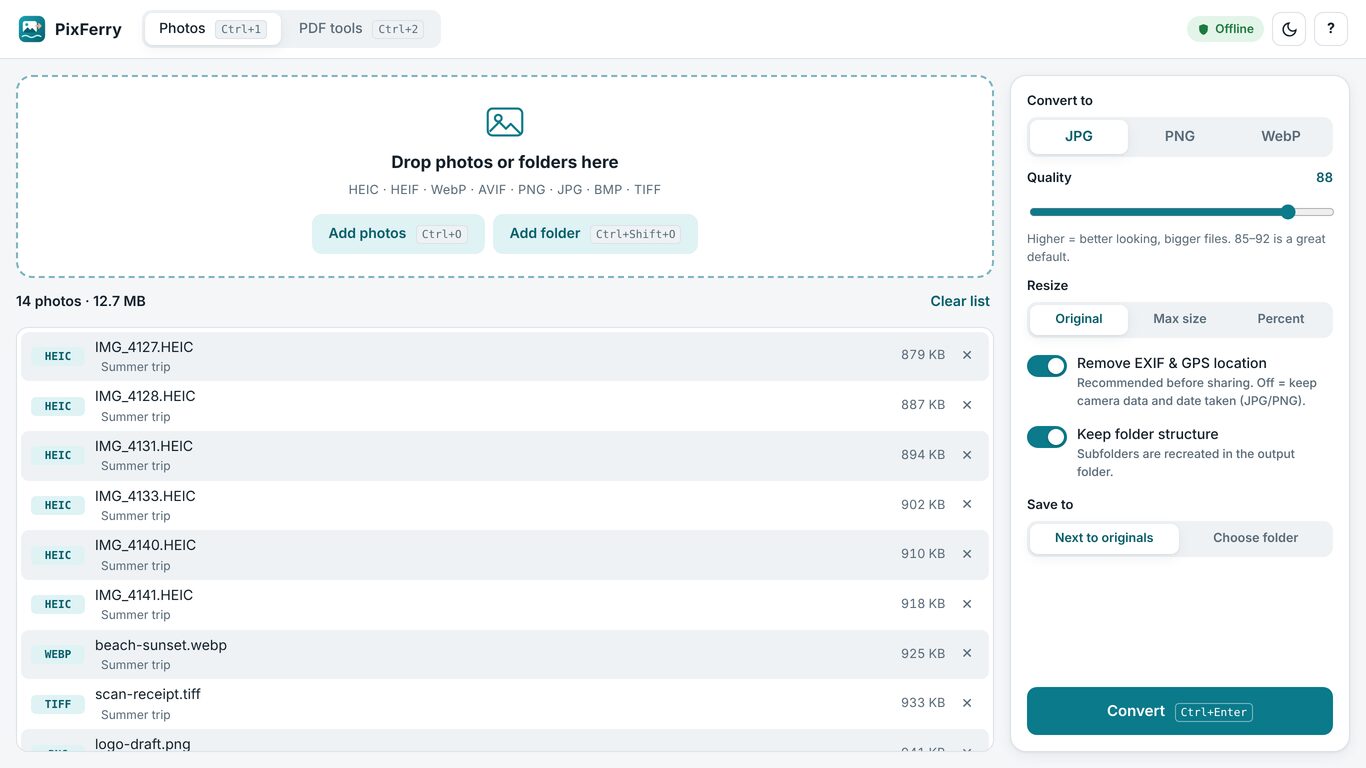
Windows can't open iPhone HEIC photos out of the box: it needs paid or extra codec add-ons. PixFerry has its own decoders built in, so it opens HEIC and HEIF straight away and converts hundreds of photos at once, all on your PC. Nothing is uploaded anywhere.
What it does
- Drag and drop files or whole folders (subfolders included).
- Converts HEIC, HEIF, WebP, AVIF, PNG, JPG, BMP and TIFF to JPG, PNG or WebP.
- Quality slider, and batch resize by maximum size in pixels or by percent.
- Removes EXIF and GPS location by default (switch it off to keep the date taken and camera details).
- Keeps your folder structure, saves next to the originals or to a folder you choose, and never overwrites a file.
- Progress bar and a clear summary of any files that failed, with the reason.
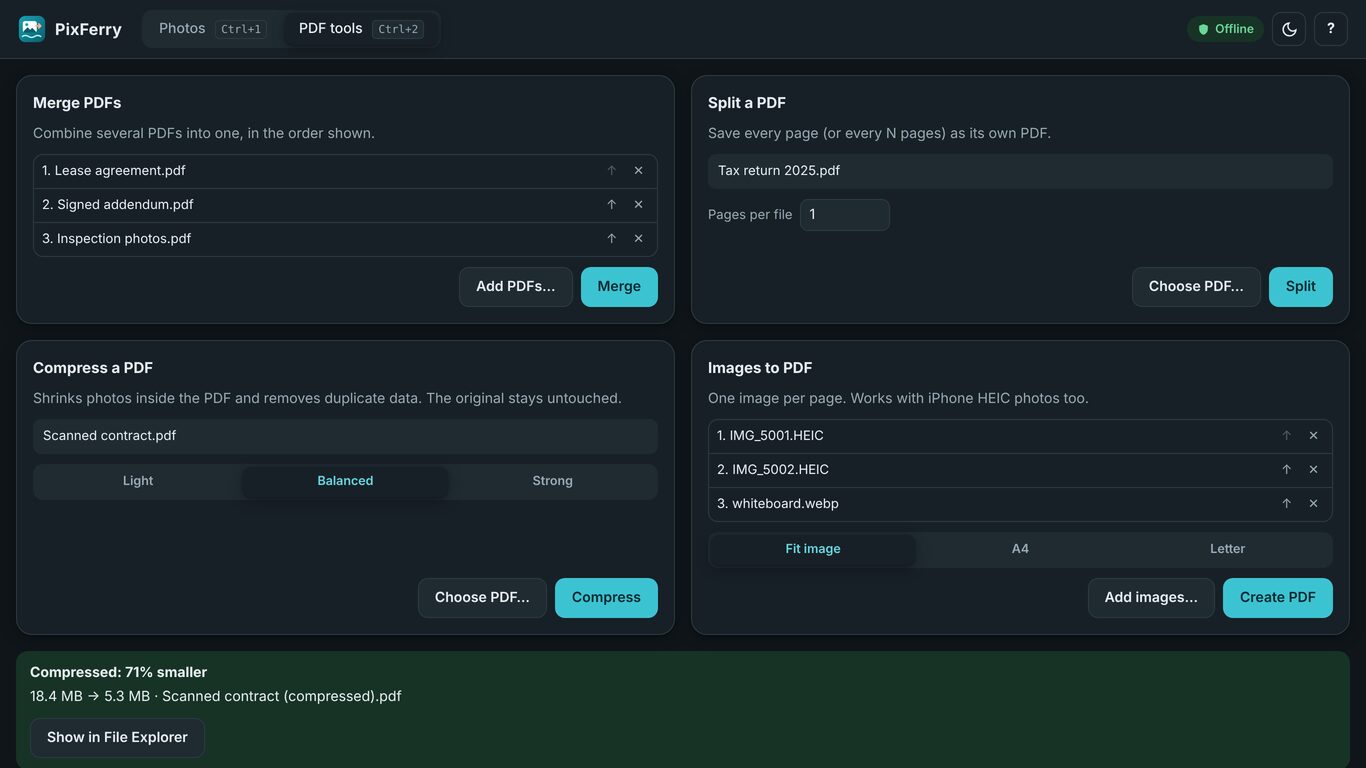
- PDF tools: merge, split, compress (shrinks the photos inside), and images to PDF (HEIC photos work too).
- Light and dark theme, keyboard shortcuts, screen-reader labels.
Privacy
PixFerry works fully offline and collects no data. Read the PixFerry privacy policy.
PixFerry is made by DixonAppStudio LLC, the team behind All in One Converter. Support: support@dixonappstudio.com.
All in One Converter · Online image converter · HEIC to JPG online · PixFerry privacy