Colour Blindness Image Simulator
See a photo, chart or screenshot the way roughly one man in twelve sees it. Four types, adjustable severity, nothing uploaded.
Updated May 2026 · Free · Works entirely in your browser
Who this affects
Roughly 8% of men and 0.5% of women of northern European descent have some form of red-green colour vision deficiency. In a team of twenty-five people that is likely to be one or two; on a website with ten thousand visitors a month it is several hundred. Most of them are not registered as anything and will not tell you your chart is unreadable — they will simply not use it.
The four types
| Type | What is missing | What confuses |
|---|---|---|
| Deuteranopia | The green cone | Red and green, orange and yellow-green, blue and purple |
| Protanopia | The red cone | The same pairs, plus reds look noticeably darker than they should |
| Tritanopia | The blue cone | Blue and green, yellow and violet, pink and grey |
| Achromatopsia | All colour vision | Everything — only brightness remains |
Note that protanopia darkens reds as well as confusing them. A red warning on a dark background can disappear entirely, which is why red-on-black error text is a bad habit.
What to do when something fails
The rule that solves nearly every case: never let colour be the only thing carrying meaning.Add a second signal and the problem goes away without changing your palette.
- Status indicators — pair the red and green dots with a cross and a tick.
- Line charts — give each line a different dash pattern, and label the lines directly rather than using a colour key off to the side.
- Bar and pie charts — vary the fill pattern, or order and label the segments so the legend is not load-bearing.
- Maps and heatmaps — use a sequential palette that also varies in lightness, so it still reads when desaturated. Check it with the achromatopsia setting.
- Form errors — an icon and a written message, not a red border alone.
- Links in body text — underline them. This is the oldest example of the rule and still the most commonly broken.
A quick test that costs nothing
Set the type to achromatopsia and look at your design in pure greyscale. If two things that need to be distinguishable are now the same shade, they were relying on hue alone and will fail for a lot of people. This one check catches most real problems faster than working through each deficiency in turn.
Contrast is a separate question
Passing a colour blindness check does not mean your contrast is adequate, and vice versa. The Web Content Accessibility Guidelines ask for a contrast ratio of at least 4.5 to 1 for body text and 3 to 1 for large text of 18.66 pixels bold or 24 pixels regular and above. That is about light versus dark, which this tool does not measure. Check both.
Testing live pages
For a static image — a chart, a poster, a screenshot of a dashboard — dropping the file here is the quickest route. For an interactive page, Chrome and Edge can simulate these deficiencies live: open developer tools, open the Rendering panel from the three-dot menu, and choose an option under "Emulate vision deficiencies". That lets you click through a flow rather than checking one frame.
Gear we recommend for this workflow
As an Amazon Associate we earn from qualifying purchases. Affiliate disclosure.

Datacolor Spyder X Pro – Monitor Calibrator. Color Calibration Tool for Monitor Display. Ensures accurate color for photographic images. Ideal for first-time users
Best for matching screen colors to print
$298.39
Check price on Amazon
BenQ PV3200U 32” 4K UHD Monitor for Video Editing, 95% DCI-P3, 100% Rec.709/sRGB, 2.1ch Speakers, 65W USB-C, Mac Compatible, Factory-Calibrated, Software Calibration, Ergonomic Stand
Best for calibrated photo editing workflows
$549.99
Check price on Amazon
Dell 27 Monitor S2725QS, 4K UHD IPS, 120Hz, 5ms, FreeSync Premium | 350 cd/m2 Brightness, 1,500:1 Contrast, 99% sRGB, Anti-Glare, HDMI, DisplayPort, USB‑C, Height Adjustable, Swivel, Pivot
Best for accurate color when editing photos
$279.99
Check price on Amazon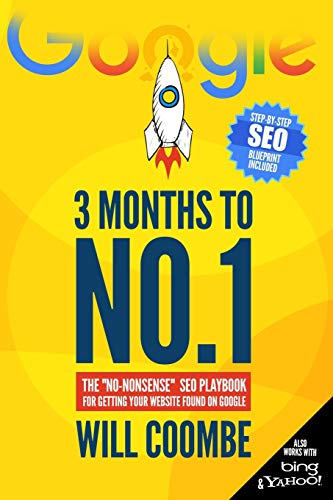
3 Months to No.1: The "No-Nonsense" SEO Playbook for Getting Your Website Found on Google
Best for optimizing your site's search visibility
$13.97
Check price on AmazonPrices as of Oct 26, 2026, 4:45 AM UTC. Product prices and availability are accurate as of the date/time indicated and are subject to change. Any price and availability information displayed on Amazon.com at the time of purchase will apply to the purchase of this product.
Frequently Asked Questions
Everything you need to know about image conversion.