Resize Photos for Instagram — No Crop
Fit whole photos into Instagram's portrait, square, story or landscape frames with a blurred or coloured background — or fill and crop. Exact 1080-pixel sizes, batches for carousels, nothing uploaded.
Updated September 2026 · Free · Works entirely in your browser
Instagram sizes at a glance
| Where | Ratio | Pixels |
|---|---|---|
| Portrait post | 4:5 | 1080 × 1350 |
| Square post | 1:1 | 1080 × 1080 |
| Profile grid | 3:4 | 1080 × 1440 |
| Story / Reel | 9:16 | 1080 × 1920 |
| Landscape | 1.91:1 | 1080 × 566 |
1080 pixels wide is the standard Instagram size, and anything outside the allowed shapes is cropped by the app. Resizing to exactly these sizes yourself means you decide what is shown rather than the crop tool.
Why "no crop" matters
A phone photo is usually 3:4 or 9:16, a camera photo 2:3, a screenshot something else again. Post any of them and Instagram trims the parts that do not fit — often the top of someone's head or the edge of a landscape. The blurred-background option keeps every pixel of the photo and fills the leftover space with a soft, darkened copy of the same image, which looks deliberate rather than letter-boxed. A colour border does the same with a flat colour — white suits a clean feed, black suits photography.
Which frame should you pick?
- Portrait 4:5 for most feed posts: it fills the most screen as people scroll.
- Profile grid 3:4 if you care most about how the post looks on your profile page.
- Story / Reel 9:16 for full-screen stories and reel covers.
- Carousels: every slide takes the shape of the first one, so resize them all together.
Planning a multi-post grid or a panorama carousel? Split an image into tiles numbered in posting order. For other networks, see the social media image size guide, and for a plain square without Instagram presets use the 1080 × 1080 converter.
Gear we recommend for this workflow
As an Amazon Associate we earn from qualifying purchases. Affiliate disclosure.

NEEWER RL-18 Ring Light 18inch Kit: 55W 5600K Professional LED with Stand | Phone Holder, Soft Tube & Bag for Tattoo Lash Extension Barber Makeup Artist Studio Video, Photography Lighting
Best for even, flattering lighting
$112.99
Check price on Amazon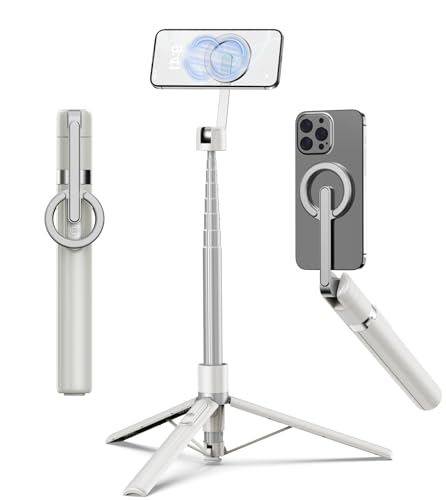
TONEOF 68" Magnetic Aluminum Phone Tripod Selfie Stick for iPhone & Android | Rechargeable Remote,360° Rotatable Foldable Cell Phone Stand Holder with Metal Ring,Travel Tripod for Magsafe (Beige Gray)
Best for stable iPhone photos and video
$23.99
Check price on Amazon
DJI Osmo Mobile 7 Gimbal Stabilizer for iPhone & Android, 3-Axis Gimbal | Built-in Tripod, Ultra-Light, Comfortable Grip, ActiveTrack, ShotGuides, One-Tap Edit, 10hrs Use, Phone Charging
Best for smooth iPhone video
$75.00
Check price on Amazon
Xenvo Pro Lens Kit for iPhone and Android, Macro and Wide Angle Lens with LED Light and Travel Case Black
Best for detailed close-up shots on iPhone
$39.99
Check price on AmazonPrices as of Oct 26, 2026, 4:45 AM UTC. Product prices and availability are accurate as of the date/time indicated and are subject to change. Any price and availability information displayed on Amazon.com at the time of purchase will apply to the purchase of this product.
Frequently Asked Questions
Everything you need to know about image conversion.